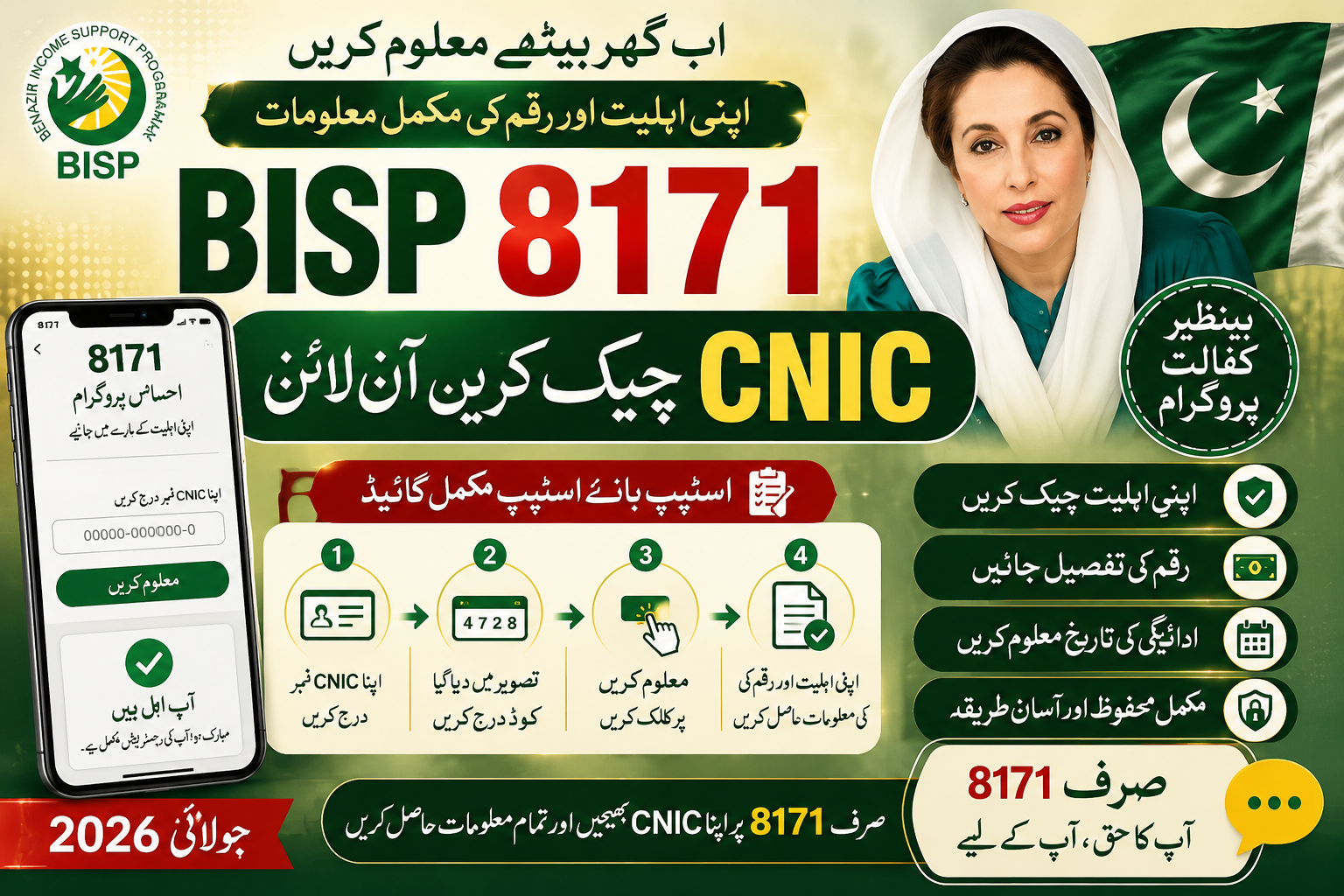
Learn how to do a BISP 8171 CNIC check online in 2026, including portal steps, SMS method, common errors, and how to spot a fake BISP website.
Every quarter, the same question floods social media groups and family WhatsApp chats: “Has the BISP money come yet?” Instead of guessing or waiting in a long queue, a BISP 8171 CNIC check online takes less than two minutes once you know the correct steps. This guide breaks down exactly how the process works in 2026, what each result actually means, and how to avoid the fake lookalike sites that try to copy the real portal.
What Is the 8171 System
8171 is not a website name by itself, it is the short code number used for both the SMS verification service and the branding of the online portal that BISP uses to let beneficiaries self-check their status. The number was chosen because it is easy to remember, and over time it has become the unofficial name people use for the entire BISP digital verification system, even though the actual web address is a proper domain ending in .gov.pk.
Two separate but connected services exist under this system:
- The online web portal, where you type in your CNIC and get a detailed result on screen.
- The SMS shortcode, where you text your CNIC to 8171 and get a basic eligibility reply.
Step-by-Step: Checking Online
- Open a browser on your phone or computer and go to the official BISP portal address. Do not search for “8171” on Google and click the first result blindly, since several scam pages have been built specifically to rank for that exact search term.
- Look for the box labeled “Check Eligibility” or “CNIC Verification” on the homepage.
- Type your 13-digit CNIC number with no dashes or spaces.
- Enter the captcha code exactly as shown. If it is too blurry to read, refresh it rather than guessing repeatedly, since too many failed attempts can temporarily lock the form.
- Click Submit and wait a few seconds for the result page to load.
- Read the result carefully. It will usually show one of three things: an active payment with an amount, a pending status, or a message stating the CNIC is not currently registered.
Step-by-Step: Checking by SMS
For families in areas with weak internet coverage, the SMS method remains just as valid:
- Open your phone’s messaging app.
- Type your 13-digit CNIC number exactly, with no extra characters.
- Send it to 8171.
- Wait for the automated reply, which typically arrives within a few minutes but can take longer during peak periods such as the first week of a new payment cycle.
This method only confirms basic eligibility and payment status. It does not show your exact PMT score or detailed payment history, which is only available through the full online portal.
Understanding Your Result
| Result Message | What It Means |
|---|---|
| Eligible, payment released | Funds are ready, go to your assigned collection point |
| Eligible, payment pending | You qualify, but your district’s batch has not been processed yet |
| Not eligible | Your PMT score or survey data does not currently meet the threshold |
| Record not found | Your CNIC may be expired, unregistered, or entered incorrectly |
If you see “record not found,” double check that you typed all 13 digits correctly before assuming there is a deeper problem.
Common Errors and How to Fix Them
The captcha keeps failing. Clear your browser cache or try a different browser. On older phones, switching to a lighter mobile browser sometimes resolves rendering issues with the captcha image.
No SMS reply arrives. Confirm your SIM has balance for a standard text message, and that you are not on a network with an active block on shortcodes. Some prepaid promotional packages restrict shortcode messages by default.
The portal shows your old CNIC details. This usually means your NADRA record was updated more recently than your BISP record. Visit a Tehsil office to have your file synced.
You keep getting redirected to a different website. This is a sign you are not on the official domain. Close the tab immediately and re-type the correct address.
How to Identify the Real Portal
This is the single most important section of this guide. Several websites with names that sound official, using words like “8171,” “BISP,” and “portal” together, are not run by the government. To stay safe:
- Confirm the website address ends in a recognized .gov.pk domain rather than a generic .com, .pk, or .net address.
- Never enter your CNIC on a site that also asks for your bank account number, ATM PIN, or a processing fee.
- Ignore any site or message claiming you must “unlock” your payment by paying an agent.
- Treat urgent countdown timers or “last chance” warnings as a red flag rather than a reason to rush.
The real system has never charged a fee for checking eligibility, and it never will.
Checking Status on a Shared or Family Phone
Many households share a single mobile phone between several family members, which can create confusion about whose CNIC was last checked. If you are checking on behalf of a parent or relative, it is good practice to clear the previous result from your browser or simply double-confirm the CNIC digits before submitting, since the portal will return a result for whichever number you enter, not necessarily the one you intended. Keeping a small written note of the correct CNIC near the phone avoids repeated mistyping, especially for household members who are checking on behalf of an elderly relative who cannot read the digits aloud quickly.
Checking From Outside Pakistan
Family members working abroad sometimes try to check a relative’s BISP status remotely. The official portal works the same way regardless of your physical location, so this is technically possible, though international mobile networks may have restrictions on sending an SMS to a Pakistani shortcode like 8171. In that case, the web portal is generally the more reliable option for someone checking from overseas.
Frequently Asked Questions
Is the BISP 8171 CNIC check free? Yes, both the online portal and the SMS service are completely free of charge.
Can someone else check my status using my CNIC? Technically the system will return a result for any valid CNIC entered, which is exactly why you should never share your CNIC number publicly or with strangers offering to “help.”
Why does my result say pending for weeks? Pending usually means your district’s disbursement batch has not opened yet, or your file needs a manual review at your Tehsil office.
Does checking my status too many times cause a problem? No, there is no limit on how often you can check, though repeated failed captcha attempts may briefly slow down the form.
Final Word
A BISP 8171 CNIC check online should take less time than making a cup of tea. The system is built to be simple specifically because so many beneficiaries do not have easy access to government offices. The only real risk comes from fake websites and messages designed to copy the look of the real service, so the habit worth building is not speed; it is verification: confirm the domain, never pay a fee, and trust only replies that come from the official 8171 number.