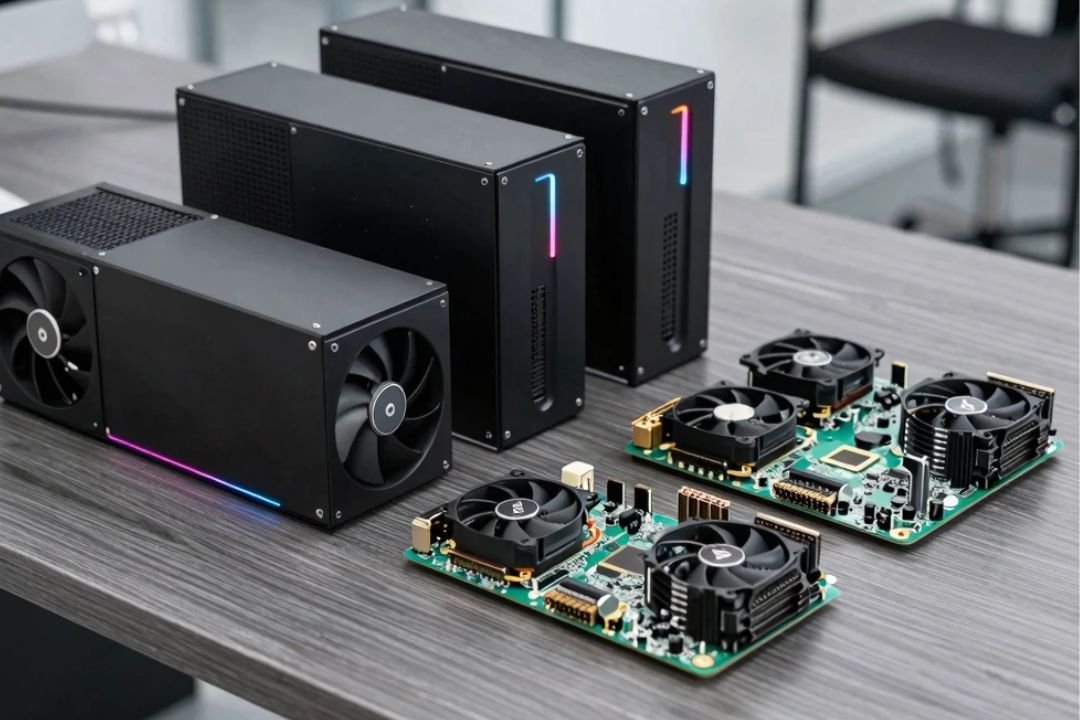
Artificial intelligence and machine learning are transforming industries ranging from software development and healthcare to finance, robotics, content creation, and scientific research. However, powerful AI software requires equally capable computing hardware. Whether you are training machine learning models, running generative AI applications, developing computer vision systems, or experimenting with large language models, choosing the best AI hardware for AI and machine learning can make a significant difference in performance.
Modern AI hardware includes high-performance GPUs, CPUs with built-in AI acceleration, neural processing units (NPUs), AI accelerators, high-bandwidth memory, and specialized computing systems. The right choice depends on the size of your models, your budget, power requirements, and whether you need to train models or simply run AI inference.
This guide explores the best hardware for AI and machine learning, explains the most important specifications, and provides practical advice for choosing an AI workstation, laptop, or server.
What Makes Hardware Good for AI and Machine Learning?
AI and machine learning workloads are different from traditional computing tasks. Many AI algorithms perform enormous numbers of mathematical operations simultaneously. As a result, hardware capable of parallel processing is especially valuable.
When choosing AI hardware, you should pay attention to several key specifications:
- GPU performance
- GPU memory or VRAM
- Memory bandwidth
- System RAM
- CPU performance
- AI accelerator capabilities
- Power efficiency
- Software compatibility
- Storage speed
- Upgradeability
Among these factors, the GPU and its available memory are often particularly important for deep learning and generative AI workloads.
A powerful processor can improve data preparation and general application performance, but a capable GPU can dramatically accelerate neural network training and inference.
1. High-Performance GPUs for AI
GPUs are among the most important pieces of hardware for artificial intelligence and machine learning.
Unlike CPUs, which typically focus on executing a smaller number of complex operations efficiently, GPUs contain large numbers of processing units designed for parallel workloads. Neural networks benefit greatly from this architecture because many calculations can be performed simultaneously.
High-performance GPUs are commonly used for:
- Deep learning
- Neural network training
- Large language models
- Computer vision
- Generative AI
- AI image generation
- Scientific computing
- Machine learning experimentation
When selecting a GPU for AI, don’t look only at raw processing power. VRAM capacity and memory bandwidth can be equally important.
2. NVIDIA GPUs for Machine Learning
NVIDIA GPUs have become widely used in AI research, development, and data centers because of their combination of hardware performance and software ecosystem.
NVIDIA’s CUDA platform provides developers with tools and libraries for GPU-accelerated computing. AI frameworks and libraries can take advantage of NVIDIA hardware to accelerate many machine learning workloads.
For professional AI workloads, NVIDIA’s data center GPU families are designed for large-scale model training and inference.
For individual developers and enthusiasts, high-end desktop GPUs can provide substantial AI performance without requiring a dedicated data center.
One of the major advantages of using NVIDIA hardware for AI development is the broad ecosystem surrounding CUDA, optimized libraries, and machine learning frameworks.
3. AMD GPUs for AI Workloads
AMD is another major player in high-performance computing and AI hardware.
Modern AMD accelerators and GPUs can provide substantial computational performance for machine learning and other demanding workloads. AMD has also invested heavily in software tools and platforms designed to support AI development.
For users considering AMD hardware, software compatibility should be an important part of the purchasing decision. Check whether your preferred machine learning frameworks, libraries, and AI applications support the specific GPU and software stack you plan to use.
For certain workloads, AMD hardware can provide an attractive alternative to other GPU platforms.
4. AI PCs With Built-In NPUs
AI is also moving into mainstream laptops and desktop computers.
Modern AI PCs often combine a traditional CPU and GPU with a dedicated Neural Processing Unit (NPU). An NPU is designed to efficiently execute specific AI workloads while consuming less power than a general-purpose processor.
NPUs are particularly useful for local AI features such as:
- Background effects in video calls
- Voice recognition
- Image enhancement
- AI assistants
- Translation
- Content creation
- Security applications
However, an NPU does not necessarily replace a powerful GPU. If your primary goal is deep learning model training, a dedicated high-performance GPU is usually more relevant.
NPUs are especially valuable for efficient AI inference and everyday AI features on portable devices.
5. Powerful CPUs for AI Development
Although GPUs receive much of the attention in AI computing, CPUs remain essential.
The CPU handles many supporting tasks, including:
- Data preprocessing
- Loading datasets
- Running operating systems
- Managing applications
- Compiling software
- Coordinating GPU workloads
- Traditional machine learning algorithms
A balanced AI workstation should therefore include a capable CPU alongside its accelerator.
For many machine learning workloads, a modern multi-core CPU provides enough performance for data preparation and system management while the GPU handles computationally intensive neural network operations.
6. Plenty of RAM for Machine Learning
System RAM is another important consideration when building an AI computer.
Machine learning datasets can be extremely large. If your system does not have enough RAM, it may need to repeatedly access slower storage, which can reduce performance.
For basic AI experimentation, moderate memory capacity may be sufficient. Developers working with large datasets, multiple applications, or complex data-processing pipelines may benefit from substantially more RAM.
As a general principle, your system should have enough RAM to comfortably handle your datasets and software without constantly relying on virtual memory.
7. GPU VRAM: One of the Most Important AI Specifications
When selecting the best AI hardware for machine learning, VRAM deserves special attention.
VRAM is the memory available directly to the GPU. AI models, tensors, intermediate calculations, and datasets can consume significant amounts of GPU memory.
If a model does not fit into available VRAM, developers may need to use techniques such as:
- Model quantization
- Smaller batch sizes
- Gradient checkpointing
- CPU offloading
- Model splitting
- Memory optimization
More VRAM can therefore make it easier to run larger models and larger workloads.
For AI enthusiasts and developers, choosing a GPU with sufficient VRAM can sometimes be more useful than selecting a GPU that has slightly higher raw computational performance but significantly less memory.
8. Fast SSD Storage
AI development can involve large datasets, model files, checkpoints, applications, and development environments.
A fast NVMe SSD can significantly improve:
- Dataset loading
- Model loading
- Application startup
- File transfers
- Operating system performance
- Data preprocessing
While SSD speed generally does not have the same direct impact on neural network training as GPU performance, slow storage can create bottlenecks in the overall workflow.
For serious AI development, using a fast SSD with adequate capacity is highly recommended.
9. AI Workstations
An AI workstation is a desktop computer designed for demanding AI, machine learning, data science, and engineering workloads.
A good AI workstation may include:
- A high-performance multi-core CPU
- A powerful discrete GPU
- Large amounts of system RAM
- High-capacity NVMe storage
- Efficient cooling
- A reliable power supply
- Multiple expansion slots
Workstations are particularly useful for developers who want to train models locally rather than relying entirely on cloud computing.
Another major advantage is upgradeability. You can often add more RAM, storage, or additional accelerators as your requirements grow.
10. AI Laptops for Machine Learning
For developers who need portability, an AI laptop can be a practical solution.
Modern laptops can combine powerful CPUs, discrete GPUs, and NPUs in a relatively compact system.
An AI laptop is useful for:
- Programming
- Data science
- Machine learning experiments
- AI application development
- Local inference
- Computer vision
- Content creation
However, laptops generally have more restrictive thermal and power limitations than desktop workstations. A high-performance desktop GPU may therefore sustain demanding AI workloads more effectively over long periods.
When buying an AI laptop, pay attention to GPU memory, cooling, battery capacity, RAM, and upgrade options rather than focusing only on processor branding.
11. Cloud AI Hardware
You don’t always need to purchase expensive hardware.
Cloud computing platforms allow developers to rent access to powerful GPUs and AI accelerators. This can be particularly useful when you need substantial computing power for a short period.
Cloud AI can be useful for:
- Training large models
- Temporary research projects
- Scaling AI applications
- Running experiments
- Team collaboration
- Large-scale inference
The downside is recurring usage costs. If you run GPU workloads continuously, purchasing local hardware may eventually become more economical depending on your circumstances.
A hybrid approach can also work well: use local hardware for everyday development and cloud GPUs for exceptionally demanding workloads.
12. Edge AI Hardware
AI is increasingly moving beyond PCs and data centers.
Edge AI devices perform AI processing close to where data is generated. These systems are commonly used in:
- Smart cameras
- Robotics
- Industrial automation
- Autonomous systems
- Drones
- Smart sensors
- Automotive applications
Edge AI hardware prioritizes low latency and energy efficiency.
Instead of sending every piece of data to a remote server, an edge device can analyze information locally and send only important results to the cloud.
13. Choosing AI Hardware Based on Your Workload
The best AI hardware depends heavily on what you want to accomplish.
For Beginners
If you are learning Python, machine learning, and basic neural networks, you don’t necessarily need an expensive AI workstation.
A modern computer with sufficient RAM and a capable GPU can provide a good starting point. Cloud computing can fill the gap when you need additional performance.
For AI Developers
Developers building computer vision applications, AI assistants, or generative AI software should consider a capable GPU, sufficient VRAM, fast storage, and plenty of system memory.
Software compatibility is also critical.
For Deep Learning Researchers
Researchers training sophisticated models may require high-end GPUs or specialized accelerators with large memory capacity and high memory bandwidth.
For extremely large models, multi-GPU systems or cloud infrastructure may be necessary.
For Businesses
Businesses should consider the total cost of ownership rather than simply buying the most powerful hardware available.
Factors such as electricity, cooling, maintenance, software compatibility, scalability, and utilization should all be considered.
AI Hardware vs Cloud Computing
One of the biggest decisions for AI developers is whether to purchase hardware or use cloud computing.
Local AI Hardware
Advantages include:
- No recurring cloud GPU fees
- Greater control over data
- Offline development
- Predictable hardware availability
- Potentially lower long-term costs for heavy workloads
Disadvantages include:
- High upfront cost
- Electricity consumption
- Hardware maintenance
- Cooling requirements
- Limited scalability
Cloud AI Computing
Advantages include:
- Access to powerful accelerators
- Flexible scaling
- No hardware maintenance
- Easy experimentation
- Ability to rent specialized hardware
Disadvantages include:
- Recurring costs
- Internet dependency
- Potential data privacy concerns
- Costs can increase with continuous usage
The best solution depends on how frequently you run AI workloads and how much computing power you require.
Key Factors to Consider Before Buying AI Hardware
Before purchasing an AI computer or accelerator, consider the following:
GPU Memory
Make sure the GPU has enough VRAM for the models you expect to run.
Compute Performance
Higher computational performance can reduce training and inference times.
Software Support
Verify compatibility with your preferred frameworks, libraries, drivers, and development tools.
Power Consumption
High-end AI hardware can consume considerable power. Check the system’s power requirements and cooling needs.
Upgradeability
A desktop workstation with upgradeable RAM, storage, and GPUs can provide greater flexibility over time.
Budget
Don’t spend money on performance you won’t use. Match hardware capabilities to your actual workloads.
The Future of AI Hardware
AI hardware is evolving quickly. Future systems are expected to become more specialized and energy efficient.
Several trends are shaping the next generation of AI computing:
- More powerful NPUs in consumer devices
- Specialized AI accelerators
- Higher-bandwidth memory
- Chiplet-based processor designs
- More efficient AI inference
- Advanced edge AI systems
- AI-enabled personal computers
- Greater integration between CPUs, GPUs, and NPUs
As AI models become more sophisticated, hardware manufacturers will continue developing processors designed specifically for machine learning and artificial intelligence.
Conclusion
Choosing the best AI hardware for AI and machine learning depends on your specific workload rather than a single specification or processor type. GPUs remain extremely important for deep learning, while CPUs handle essential general-purpose tasks. NPUs provide efficient local AI acceleration in modern laptops and mobile devices, and specialized accelerators are increasingly important for large-scale data center workloads.
For beginners, a capable modern computer may be enough to start learning AI. Developers may benefit from a powerful GPU with sufficient VRAM, while researchers and enterprises working with large models may need multi-accelerator systems or cloud infrastructure.
Ultimately, the ideal AI computing setup should balance performance, VRAM, memory, software compatibility, power efficiency, scalability, and cost. By understanding these factors, you can choose AI hardware that matches your current requirements while leaving room for future machine learning projects.